
Turn off auto-play for short-form videos in KakaoTalk friend list
With the recent KakaoTalk update, video content similar to YouTube Shorts is now provided. This content appears not only in the "Short Form" tab at the bottom but also as "Trending Short Form" content on the friend list.
When "Block Internet Search within KakaoTalk" is enabled, clicking directly on Short Form content in the friend list to watch it is blocked. However, if the "Auto-play videos" option is enabled in KakaoTalk settings, the Short Form content exposed on the list may play automatically even without clicking on it.
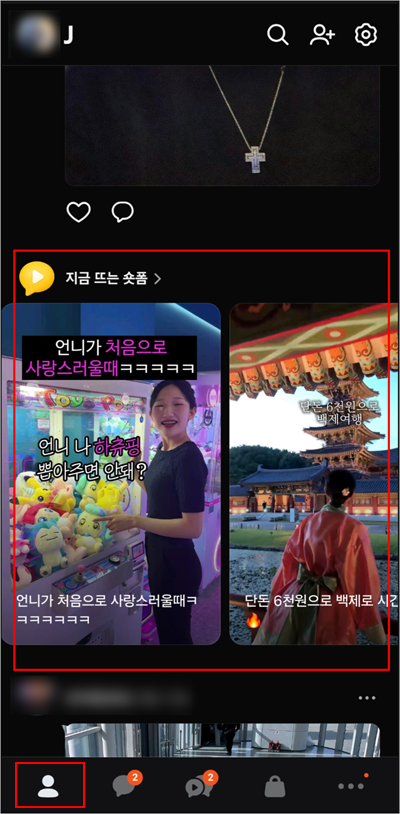
To prevent watching Short Form content via auto-play, the following settings are required:
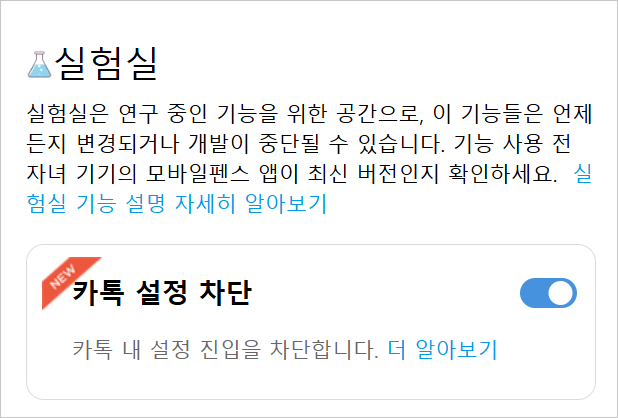
2. Turn on "Block KakaoTalk settings" in the Mobile Fence features.
1. KakaoTalk Settings → General Settings
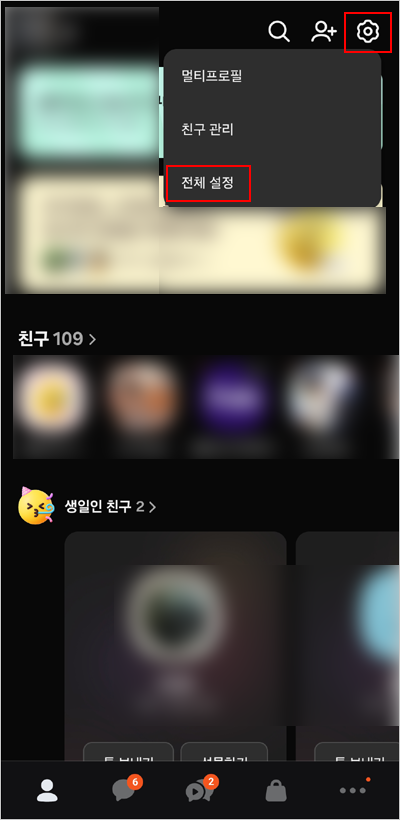
Select Other
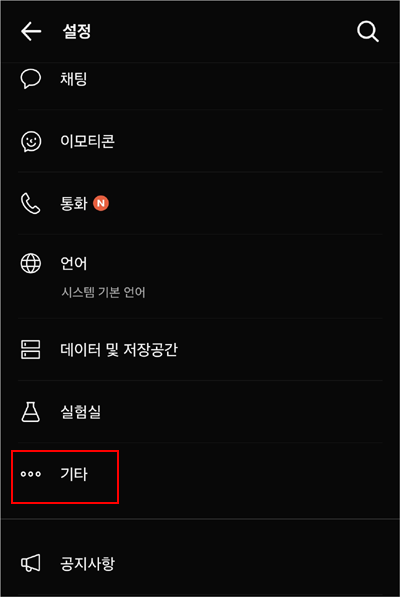
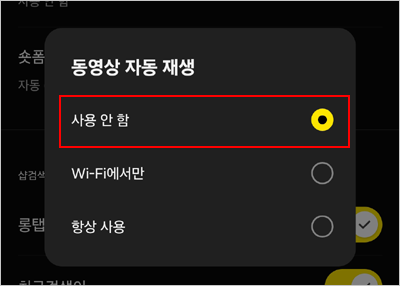
Select Auto-play videos
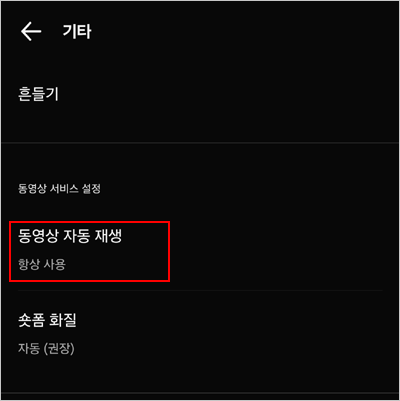
Set to "Disable"
2. Afterward, turn on the "Block KakaoTalk settings" feature so that your child cannot change these options arbitrarily.
► Related Items