뒤로
Block Samsung Wallet (Samsung Pay)
Last updated :
Since the Samsung Wallet (Samsung Pay) app can access the internet, it is recommended to disable it if you do not necessarily need to use Samsung Pay on your device.
1. [Rule Settings → Apps Tab → Samsung Wallet → Block] to prevent the app from running.
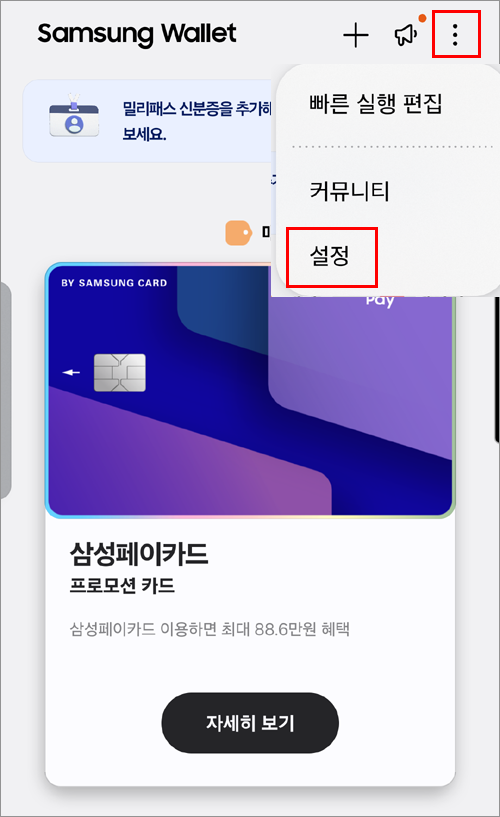
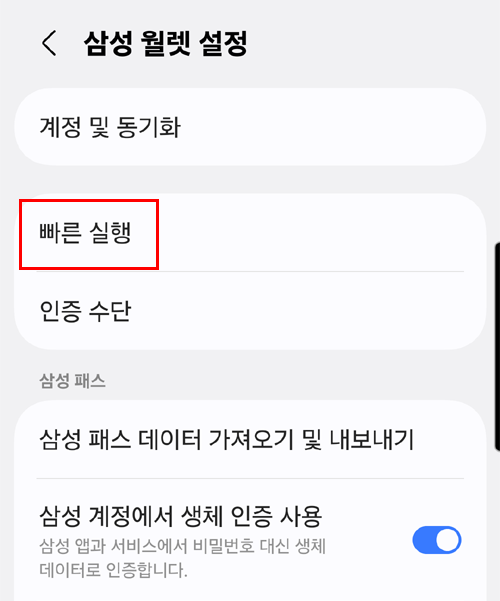
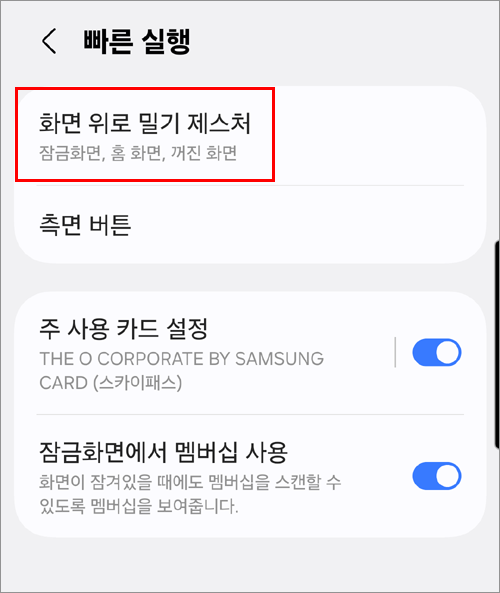
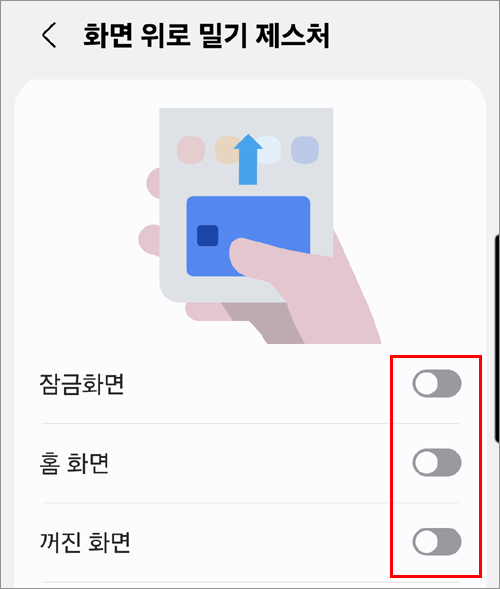
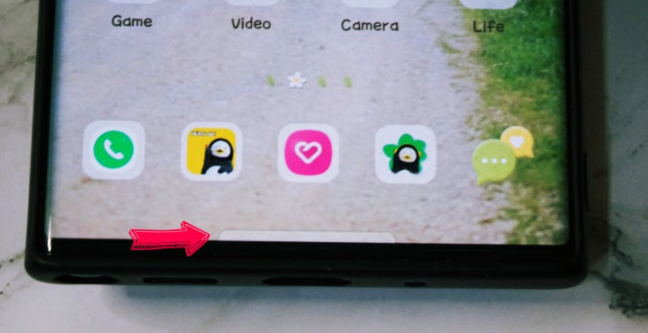
2. Configure settings to hide the swipe-up feature on the home screen.
[Samsung Wallet → More (three dots) → Settings → Swipe up gestures → Lock screen, Home screen, Screen off → Turn off]